The same delivery can appear to have four different statuses at the same time.
The route plan says it should be the next stop. The driver app shows that another delivery is still active. Customer service believes the order is delayed. The recipient sees only out for delivery.
None of those views is necessarily false. They are simply based on different information.
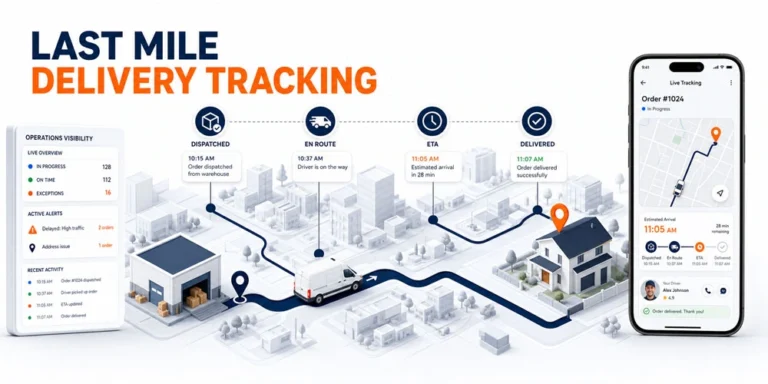
This is the operational problem that last mile delivery tracking needs to solve. Tracking should create a shared and current view of an order as it moves from route release to delivery completion. That view must be useful to dispatchers, drivers, customer service teams, managers, and customers without exposing the same information to everyone.
A moving vehicle icon is only one part of that process. Reliable last mile tracking also depends on assignment data, order status, estimated arrival time, exceptions, communication, and completion evidence.
What Is Last Mile Delivery Tracking?
Last mile delivery tracking is the process of monitoring an order during the final stage of delivery, from release to a driver or route through completion, failure, or rescheduling.
It combines several types of information:
- The order assigned to the driver
- The driver or vehicle location
- The current delivery status
- Progress through planned stops
- The estimated time of arrival
- Delays or delivery exceptions
- Completion details
Location alone cannot explain what is happening to an order.
A vehicle may be parked because the driver is completing an installation, waiting for access, taking a required break, or handling an exception. A map shows where the vehicle is. Status and order context explain what that location means.
This is why live tracking should be understood as a visibility system rather than a map feature.
The Five Signals That Create Live Visibility
A useful tracking record brings five signals together.
| Tracking signal | Question it answers | Example |
|---|---|---|
| Assignment | Who currently owns the work? | Driver 12 is assigned to Route North |
| Location | Where is the delivery resource? | The vehicle is approaching the service area |
| Status | What is happening to the order? | En route, arrived, completed, or failed |
| ETA | When is the delivery currently expected? | Estimated arrival between 2:10 and 2:30 p.m. |
| Outcome | What happened at the stop? | Delivered with a signature or rescheduling required |
If one of these signals is missing, the operation must reconstruct the answer from calls, messages, or separate systems.
For example, location without assignment may show the correct vehicle but not the order it is carrying. Status without a timestamp may appear current even when it has not changed for hours. Completion without evidence may leave customer service unable to resolve a dispute.
Strong last mile delivery tracking connects the signals to the same order record.
How Tracking Works During a Delivery
Tracking begins before a customer opens a tracking link.
1. Dispatch releases accountable work
An order or route must first be assigned and released to a driver. This creates operational ownership.
If an order has no clear owner, location data cannot reliably explain its progress. The relationship between assignment and execution is covered more fully in our dispatch management system guide.
2. The driver receives current order information
The driver needs access to the route, stop details, customer instructions, service requirements, and completion expectations.
Information divided between spreadsheets, messages, and phone calls creates a gap between the route in the office and the work being performed.
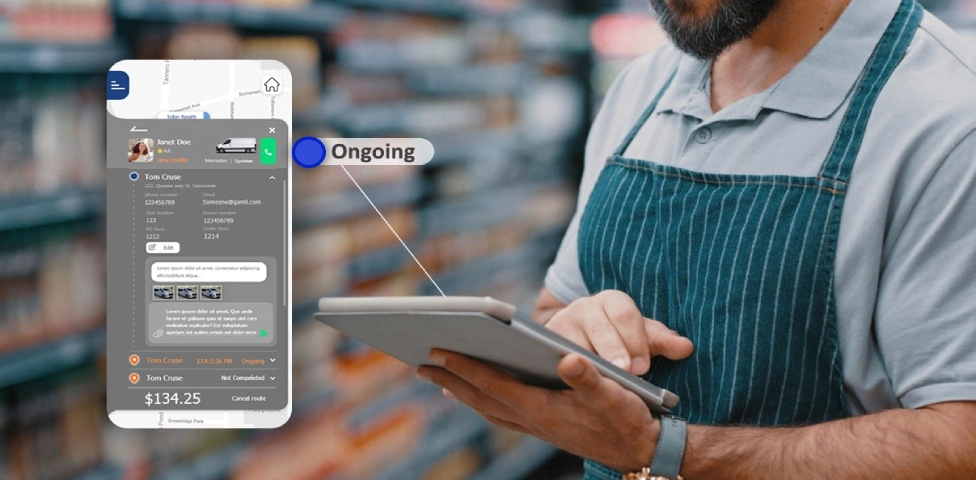
3. Location and progress updates begin
As the driver moves through the route, the tracking system receives location and task information.
A connected delivery route management workflow helps preserve the relationship between the planned route, active driver, current stop, and remaining work.
4. Status changes add meaning
The driver or system records events such as:
- Route started
- En route
- Arrived
- Delivery completed
- Delivery failed
- Another action required
These updates explain the operational meaning of location data.
5. ETA and customer information are refreshed
The expected arrival may change as the route progresses. The system can then update the view available to dispatch or the customer according to the company’s communication rules.
6. Completion closes the tracking record
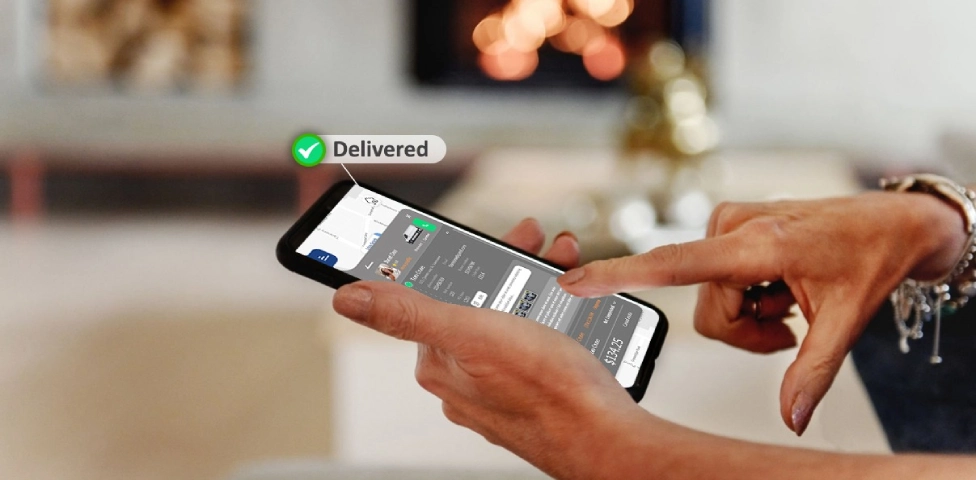
The final status should establish whether the delivery was completed and whether supporting evidence was recorded.
This prevents the order from remaining “out for delivery” after the actual work has ended.
A Tracking Signal Is Useful Only If It Changes a Decision
More data does not automatically create more control.
A tracking update becomes valuable when someone knows what question it answers and what action may follow.
| Signal | Decision it supports | Likely owner | Possible action |
|---|---|---|---|
| Driver has not started the route | Is the release delayed? | Dispatcher | Contact the driver or adjust the plan |
| ETA moved outside the accepted window | Can the commitment still be protected? | Dispatch or customer service | Review the route and notify the customer |
| Vehicle has stopped unexpectedly | Is this a normal service stop or an exception? | Dispatcher | Check status and contact the driver if needed |
| Order marked failed | What prevented completion? | Dispatch or customer service | Record the reason and arrange the next action |
| Delivery marked complete | Is documentation sufficient? | Operations or administration | Review proof and close the order |
This decision layer separates operational visibility from passive observation.
A dispatcher should not have to watch every moving vehicle. The tracking environment should make it easier to identify deliveries whose actual progress no longer matches the plan.
Our guide to last mile delivery execution explains how assignment changes, driver communication, exceptions, and completion records affect the delivery day.
Operations and Customers Need Different Views
Internal users and customers should not receive identical tracking information.
Operations teams need context
Dispatchers may need to see:
- The assigned driver
- Active and remaining stops
- Current order statuses
- ETA changes
- Delivery exceptions
- Orders requiring intervention
- Completion history
This view supports decisions across the complete active workload.
Customers need a clear commitment
A customer usually needs a simpler view:
- Confirmation that delivery is scheduled
- The current delivery status
- An appropriate arrival estimate
- Relevant delay information
- Confirmation of completion
Displaying every internal status can create confusion. A customer does not need to see draft assignments, internal route names, driver notes, or unresolved operational discussions.
The purpose of customer visibility is clarity, not unrestricted access to the dispatch system.
ETA Is a Forecast, Not a Fixed Timestamp
An estimated time of arrival should change when the conditions behind it change.
Those conditions may include:
- Current vehicle location
- Remaining stops
- Travel time
- Stop duration
- Route progress
- Delays already recorded
Google Maps Platform’s official fleet tracking documentation illustrates this distinction. Fleet tracking can combine vehicle location with route progress, remaining distance, task status, and ETA.
An ETA is therefore different from a promised delivery window.
The delivery window is a customer commitment. The ETA is the system’s current estimate inside or around that commitment.
Operations should define what happens when the estimate moves outside the accepted window. Simply displaying a later time does not resolve the exception.
Tracking, Dispatch, and Route Optimization Have Different Jobs
These functions share data, but they answer different questions.
| Function | Main question |
|---|---|
| Dispatch management | Who should perform the work, and what must change during execution? |
| Route optimization | How should stops be grouped and sequenced? |
| Last mile tracking | What is happening to the order now? |
| Proof of delivery | What evidence confirms the outcome? |
Route optimization software produces a plan using stops, constraints, and available resources.
Tracking observes what happens after that plan enters execution.
The connection between them is important. If actual routes repeatedly differ from planned routes, tracking data may expose inaccurate service times, unrealistic sequences, poor address data, or recurring access problems. Those findings can improve future planning without turning the tracking article into another route optimization guide.
When a Live Map Becomes Misleading
A polished tracking screen can still provide an unreliable picture.
Location updates are stale
The vehicle appears to be at an old location because connectivity was interrupted or the driver app stopped sending updates.
Statuses do not match reality
The driver completed the order but did not update the status, or selected the wrong outcome.
Assignment changes do not reach every view
Dispatch moved an order to another driver, but customer service or the customer view still reflects the original assignment.
ETA changes without an action rule
The estimated arrival moves outside the delivery window, but no one is responsible for reviewing or communicating the delay.
Completion data is incomplete
The order is marked delivered, but required photos, signatures, notes, or timestamps are missing.
These are not simply tracking feature problems. They are failures in data ownership and workflow design.
Define a Visibility Policy Before Choosing Screens
Before evaluating tracking software, decide what each update should mean.
A practical visibility policy should define:
- When tracking begins and ends
- Which event changes each order status
- Who can correct an inaccurate status
- How frequently location must update for the operation
- When an ETA change becomes an exception
- Which information customers can see
- When customers should receive notifications
- What evidence is required at completion
- How long location and delivery records are retained
- Who can access historical information
Location, customer, and driver data also require appropriate governance. Access should reflect each user’s operational role rather than making every tracking detail available to every employee.
Once these rules are clear, software evaluation becomes more meaningful. The team can test whether a product supports its actual tracking policy instead of comparing map designs.
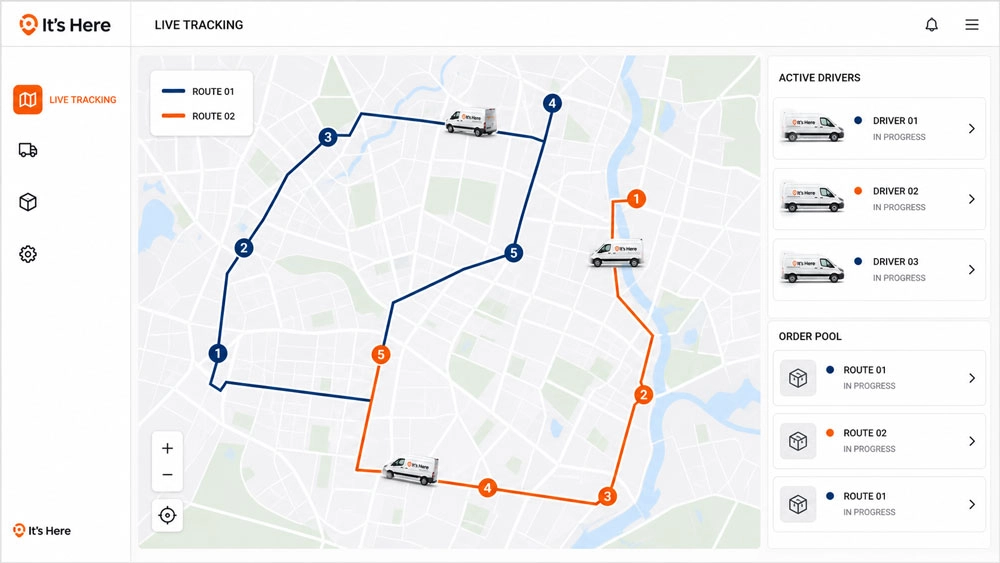
How It’s Here Connects the Tracking Record
It’s Here connects live visibility with the wider delivery workflow.
Its verified delivery management software capabilities include:
- Real time shipment and driver visibility
- Current location and delivery status
- ETA information
- Map based tracking
- A Driver App
- Branded customer alerts
- Delivery confirmations
- Night before delivery reminders
- Real time ETA updates
- Branded tracking links
- Photo and signature proof of delivery
- Order history
The operational value comes from keeping these records connected.
Dispatch can review the active order and driver. The customer can receive a simpler tracking experience. The driver can record the delivery outcome. The office can later retrieve the order history and completion evidence.
This does not mean every delay can be predicted or every exception can be resolved automatically. It means the people involved can work from a more consistent version of the delivery.
Turn Tracking Data Into Operational Control
Last mile delivery tracking should answer more than “Where is the driver?”
It should show who owns the order, what status is current, whether the expected arrival is changing, which deliveries require attention, and how the work ended.
The strongest tracking process connects assignment, location, status, ETA, communication, and completion to the same order record. It also gives different users the information they need without exposing unnecessary operational detail.
When every signal has a defined meaning and owner, live visibility becomes a decision tool rather than a moving map.
FAQ
What Is the Difference Between Live Order Tracking and Order Status?
Order status describes the current stage of the delivery, such as assigned, en route, completed, or failed. Live order tracking combines that status with current information such as driver location, route progress, ETA, and completion updates.
Does Last Mile Delivery Tracking Require GPS?
GPS is commonly used to provide driver or vehicle location, but location alone does not create complete tracking. Reliable tracking also requires assignment, status, ETA, exception, and completion information.
When Should Customer Tracking Begin?
The appropriate starting point depends on the delivery model. It may begin after a delivery date is confirmed, when the route is released, or when the driver starts the route. The customer should not receive a live view before the information is reliable and operationally useful.
Can Tracking Software Prevent Delivery Delays?
Tracking software does not prevent every delay. It can make changes visible earlier so dispatchers or customer service teams have more time to assess the situation, communicate, or adjust the plan.
What Should Happen When Tracking Data Is Inaccurate?
The operation should have a defined correction process. An authorized user should be able to investigate the assignment, driver update, location timestamp, or completion record and correct the status without losing the history of what changed.